The issue of workplace safety is one that is inherent in all business entities, irrespective of their industry and size. Employees might be subjected to various kinds of risk when carrying out their daily activities. These might include physical risk, chemical risk, equipment-related risk, ergonomics, and environmental risk. One of the important ways of ensuring workplace safety is the identification of risk before any incident occurs.
The traditional method of recording workplace hazards includes the use of paperwork, spreadsheets, and manual risk assessment. Although helpful, the handling of large quantities of safety information manually might prove to be both difficult and time-consuming.
What Is Activity Hazard Analysis Software?
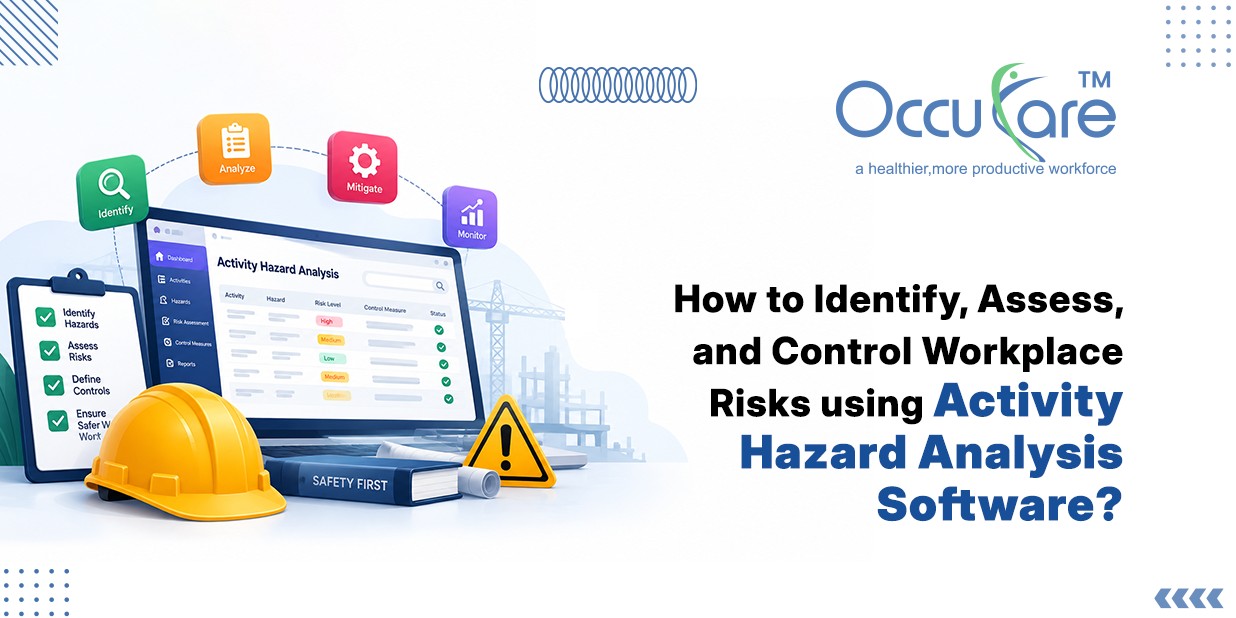
It is an online tool that enables organizations to conduct an analysis of hazards related to activities undertaken at the work sites. Through this software, safety officers can break down an activity into its components, list out any hazards associated with each component, measure the degree of risk, and develop controls.
For instance, when carrying out a construction activity, there are usually many tasks involved, such as setting up, transporting, operating, and cleaning up. Each task has its hazards. It enables safety officers to record the hazards for each task and develop controls.
There is no need for maintaining different documents to record the hazards.
The Need for Activity Hazard Analysis
Workplace activities have the possibility of posing hazards. While some risks may be apparent, others might only become clear through a thorough analysis of the activity involved.
Hazard analysis of an activity makes it possible to ask and answer questions like:
- What does the activity involve?
- What risks can arise in each step of the activity?
- Whose health might be affected by these hazards?
- What are the risks of these hazards becoming real?
- What is the probability of the risk becoming a hazard?
- What control measures are in place?
- What other control measures are necessary?
Asking and answering such questions will make it easier to develop a safer work practice.
Step 1: Identifying Workplace Activities and Hazardous Activities
The first step in risk assessment is identifying activities that require the risk assessment to be carried out.
Safety experts can develop a list of both routine and non-routine activities carried out by workers in their daily tasks. This may involve such activities as operating equipment, working at heights, handling materials, maintenance activities, electrical work, chemical handling, working in a confined space, or other hazardous activities.
As soon as an activity is chosen, the task may be broken down into its components, which will need to be analyzed to reveal potential hazards.
Typical workplace hazards include:
- Slips, trips, and falls
- Moving machinery
- Electrical hazards
- Chemical hazards
- Fire and explosion hazards
- Manual handling
- Noise and vibration
- Working at heights
- Confined space
- Environmental hazards
Hazards Analysis Software provides a framework to record such hazards associated with each activity.
Step 2: Evaluate the Degree of Risk
The mere identification of hazards is just the first step in the process. Organizational management should evaluate the degree of danger posed by the associated risks. Risk assessment will typically involve consideration of factors such as the probability of an event’s occurrence and the seriousness of its outcomes.
With the help of digital systems, the application of consistent risk assessment procedures can become possible for organizations. This involves the calculation of likelihood and severity scores to evaluate a risk’s level.
For example, the following sequence of actions may occur in such an assessment procedure:
Hazard Identification → Likelihood Assessment → Severity Assessment → Risk Level Calculation → Action Prioritization
Step 3: Select Appropriate Control Measures
After risk assessment is done, organizations must determine what control measures should be used to deal with these risks.
There is a hierarchy of controls framework that can be used to choose the most suitable measure. Controls include:
- Elimination
- Substitution
- Engineering controls
- Administrative controls
- PPE
For instance, if certain chemicals pose an occupational exposure hazard, an organization must first see whether these chemicals can be removed from use or substituted with other chemicals that are safer.
Hazard and Risk Management Software can be used by safety teams to identify current controls, add more controls and ensure that necessary controls have been implemented.
Step 4: Utilize Automated Activity Hazard Analysis Software
The process of managing activity hazard analysis manually may turn out to be quite difficult if there are numerous activities, locations, employees, and safety criteria in the organization.
Some possible functions of the software depending on its type may include:
- Creation of hazard analysis templates
- Allocation of assessment tasks to responsible employees
- Notification of employees about upcoming activities
- Checking the status of the assessment
- Detection of late actions
- Keeping records of assessments
- Generation of reports
- Corrective action tracking
Step 5: Consider Applicable OSHA Workplace Hazard Assessment Requirements
Businesses that operate in conditions requiring compliance with U.S. Occupational Safety and Health Administration requirements may want to consider OSHA requirements during development of their hazard assessment procedures.
OSHA workplace hazard assessment includes identification of hazards in the workplace and determination of protective measures that need to be put in place where applicable. OSHA’s requirements for PPE assessment, for example, include procedures for identifying hazards in the workplace that would necessitate the use of PPE.
Use of digital tools for workplace hazard assessment enables companies to document their procedures, keep records, and demonstrate that they assess hazards and controls on a systematic basis.
Nevertheless, such software solutions should assist businesses’ safety programs and not replace applicable regulations and expert opinion.
Step 6: Control Monitoring and Correction Activities
Risk assessment should not be viewed as a one-off procedure since working environment, equipment, procedures, personnel, and laws may change over time. As a result, organizations need to constantly review their hazard assessments and ensure that their controls are still effective.
Activity Hazard Analysis System will help organizations monitor:
- Pending correction activities
- Persons responsible for correction
- Planned dates for completion
- Correction activities completed
- Control effectiveness
- Review dates of the assessment
- Change in the working environment
In case the control is ineffective, safety specialists can reassess the risk and introduce new control procedures.
Advantages of Employing Activity Hazard Analysis Software
1. Consolidated Safety Data
Information about activity evaluations, hazards, risk levels, controls, and corrective actions can be stored in one consolidated system.
2. Consistency
The use of standard templates and procedures can allow for maintaining consistency in hazard analysis among various company departments.
3. Efficient Risk Evaluation
Using digital procedures can speed up the process of creation, modification, reviewing, and approval of hazard evaluations.
4. Increased Visibility
Safety managers will be able to locate quickly hazardous activities, corrective actions in progress, and overdue evaluations.
5. Efficient Documentation
Digital documentation can ensure that all information about hazard evaluations and corrective actions is well-structured and easily accessed.
6. Proactive Approach to Risk Control
Continual assessment of hazards and controls allows organizations to shift from incident response to risk prevention.
Embedding the Hazard Analysis Process into the Safety Management System
Hazard analysis processes become much more effective when embedded into a broader safety management system.
For instance, hazard analyses may be linked to the process of reporting incidents, inspections, actions, training of employees, audits, and safety observations.
Thus, a continuous safety management loop is created:
Identify → Analyze → Control → Monitor → Evaluate → Improve
In such a way, safety specialists will be able to get a better understanding of workplace hazards and recognize patterns
Conclusion
Transitioning from manual hazard tracking to an automated Activity Hazard Analysis (AHA) framework isn’t just about digitizing paperwork—it’s a strategic shift from reactive firefighting to predictive workforce protection. By unifying identification, risk scoring, hierarchy-of-control selection, and OSHA alignment into a single digital loop, safety leaders eliminate blind spots, streamline audits, and foster a genuine culture of proactive prevention across every site and shift.
For OccuCare clients, operationalizing this continuous improvement loop means lower incident rates, audit-ready compliance documentation, and empowered safety teams who spend less time managing spreadsheets and more time protecting personnel. Ready to see how intelligent digital safety management transforms your operations? Contact us for a free demo of OccuCare today.